22. Implement drawSkewedTextExample
23 22 AAK DrawSkewedTextExample SC
Android Developer Documentation
- Canvas class
- Create the function below in
ClippedView.
private fun drawSkewedTextExample(canvas: Canvas) {
   canvas.save()
   paint.color = Color.YELLOW
   paint.textAlign = Paint.Align.RIGHT
   // Position text.
   canvas.translate(columnTwo, textRow)
   // Apply skew transformation.
   canvas.skew(0.2f, 0.3f)
   canvas.drawText(context.getString(R.string.skewed),
       clipRectLeft, clipRectTop, paint)
   canvas.restore()
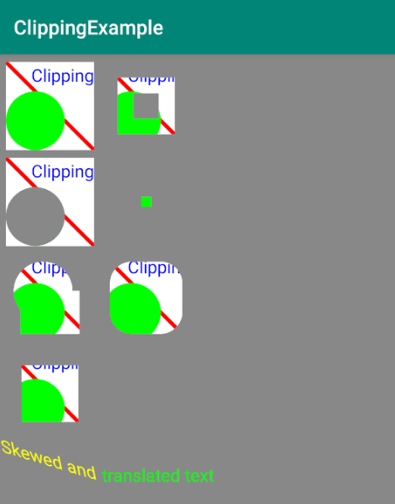
}- Run your app to see the skewed text drawn before the translated text:
Important: When you use View classes provided by the Android system, the system clips views for you to minimize overdraw. When you use custom View classes and override the onDraw() method, clipping what you draw becomes your responsibility.